Height-Adjustable AV Cart: Cleaner Cables, Faster Setup
Why a Height-Adjustable AV Cart Makes Presentations Easier
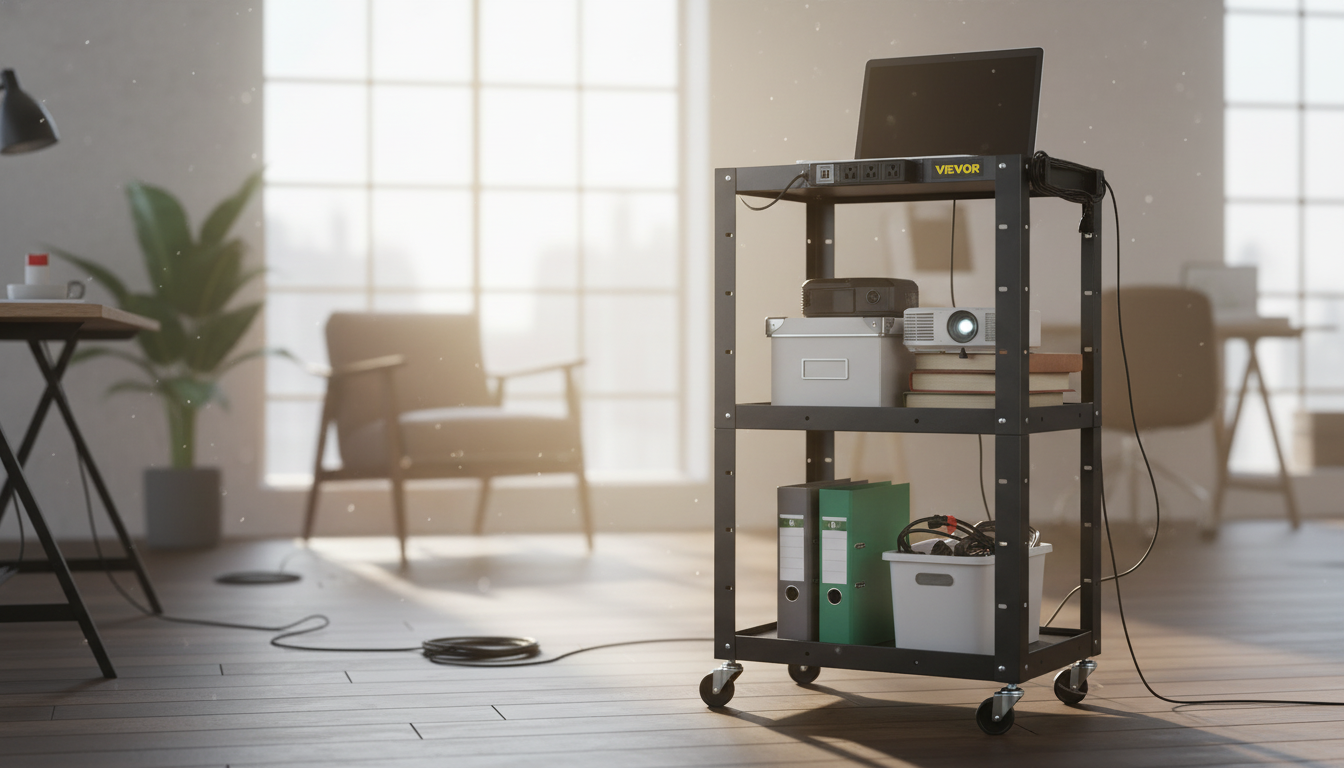
A height-adjustable AV cart keeps equipment mobile, organized, and ready to plug in wherever a lesson, meeting, or demo happens. With an integrated power strip and built-in cord routing, setup stays tidy while monitors, laptops, projectors, document cameras, or speakers travel safely between rooms. Instead of rebuilding your setup at every stop, the cart becomes a consistent “home base” for devices—helpful for shared spaces where multiple people present throughout the day.
Height adjustment is the difference between a cart that merely rolls and a cart that truly fits the room. A seated training session, a standing presenter, or a camera-facing telehealth station all benefit from quick changes that keep screens and controls at comfortable, ergonomic positions.
What this cart is built to do
- Support mobile presentation setups that need quick height changes for seated or standing use
- Reduce cable clutter by routing power and device cords through dedicated management paths
- Centralize power access with an onboard power strip so fewer wall outlets are needed nearby
- Keep gear accessible during instruction, training, telehealth, or conference-room use
- Improve safety by minimizing loose cords that can snag wheels or create trip hazards
Best-use scenarios (and why height adjustment matters)
- Classrooms and labs: raise the working surface for demonstrations, lower it for student accessibility or storage.
- Conference rooms: match the cart height to seated participants or standing presenters and camera framing.
- Hospitals and clinics: adjust to caregiver ergonomics and patient-bed height while keeping cables controlled.
- Libraries and community centers: adapt for mixed audiences and quick room reconfigurations.
- Event venues and houses of worship: position equipment for sightlines and protect cabling during movement.
Ergonomics isn’t just comfort—it’s endurance. When controls, keyboards, and screens are consistently positioned, users are less likely to hunch, reach, or twist for extended periods. For background on workstation comfort and injury prevention, reference guidance from NIOSH on ergonomics and musculoskeletal disorders.
Key features that make daily use easier
- Height-adjustable frame: enables ergonomic positioning and better viewing angles for displays and devices.
- Integrated power strip: simplifies powering multiple devices from a single cart-based hub.
- Cord management channels or guides: keeps cables secured, separated, and less likely to kink.
- Stable platform design: helps reduce wobble when rolling or when interacting with touchscreen devices.
- Mobility-focused build: designed to move equipment between rooms without repeated teardown.
The combination of onboard power and organized routing is what turns a rolling shelf into a dependable station. Instead of cords dangling from multiple devices, cables follow predictable paths—making it easier to connect/disconnect quickly, keep ports protected, and reduce the “spaghetti effect” that slows down handoffs between users.
Quick comparison checklist for evaluating AV carts
- Measure typical equipment footprint (laptop size, projector base, document camera reach) before choosing shelf dimensions.
- Confirm adjustability range fits both standing presentation height and seated workstation height.
- Look for cord routing that keeps power cables away from casters and pinch points.
- Prefer a power strip placement that stays reachable without bending behind the cart.
- Prioritize stability for touch interaction or frequent rolling over thresholds.
What to check before buying
| Feature to evaluate | Why it matters | What to look for |
|---|---|---|
| Height adjustment range | Matches different users and room setups | Comfortable working height for seated and standing use |
| Power strip integration | Reduces outlet hunting and cord sprawl | Accessible switch/outlets; enough ports for typical devices |
| Cord management design | Improves safety and reduces snags | Routing path that avoids wheels; simple tie-off points |
| Stability and weight distribution | Prevents wobble while moving or typing | Solid frame, balanced layout, secure shelf surfaces |
| Mobility | Moves smoothly between spaces | Casters that roll cleanly and track straight; locks if needed |
Setup tips for clean power and cable routing
For integrated power, confirm whether the strip includes surge protection or is strictly a multi-outlet tap. Safety standards and best practices for power strips and surge protectors are outlined by UL Solutions.
Care, safety, and longevity
Product spotlight: Height Adjustable AV Cart with Power Strip & Cord Management
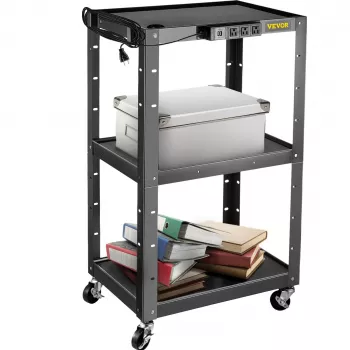
If you need one cart that can adapt to different rooms, different presenters, and different equipment loads, Height Adjustable AV Cart with Power Strip & Cord Management is designed for mobile AV setups that benefit from adjustable working height and cleaner cable organization. It includes an integrated power strip to support multi-device presentation or instruction stations, while cord management helps keep cables controlled during movement and day-to-day use.
For teams that also want a lightweight way to improve on-screen demos, training scripts, or presentation planning, pair the cart with a digital workflow aid like Boost Your AI Prompts for Better Output – Checklist for Creators, Coaches & Entrepreneurs to standardize prep across instructors and presenters.
FAQ
How do cable management features help when moving an AV cart between rooms?
Routing channels and tie points keep cords from dragging near wheels, reduce snagging on doorways, and protect connectors from getting yanked. With cables already organized, moving between rooms is faster because fewer connections need to be rechecked or re-routed.
Can an integrated power strip replace a surge protector?
Not always. A power strip adds outlets, but surge protection depends on the specific model, so check the product details to confirm whether surge suppression is included and follow electrical safety guidance for your environment.
What’s the safest way to adjust cart height with equipment installed?
Adjust height on a level surface with wheels locked, keep hands clear of pinch points, and ensure cables have slack (a service loop) so connectors aren’t pulled tight. Avoid adjusting while cords are taut or while the cart is rolling.














Leave a comment