256×192 Thermal Monocular: Real-World Use & Key Features
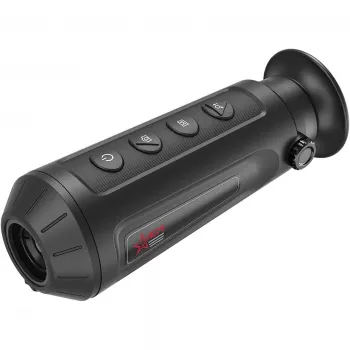
Thermal Monocular High-Powered Imaging Device with 256×192 Resolution
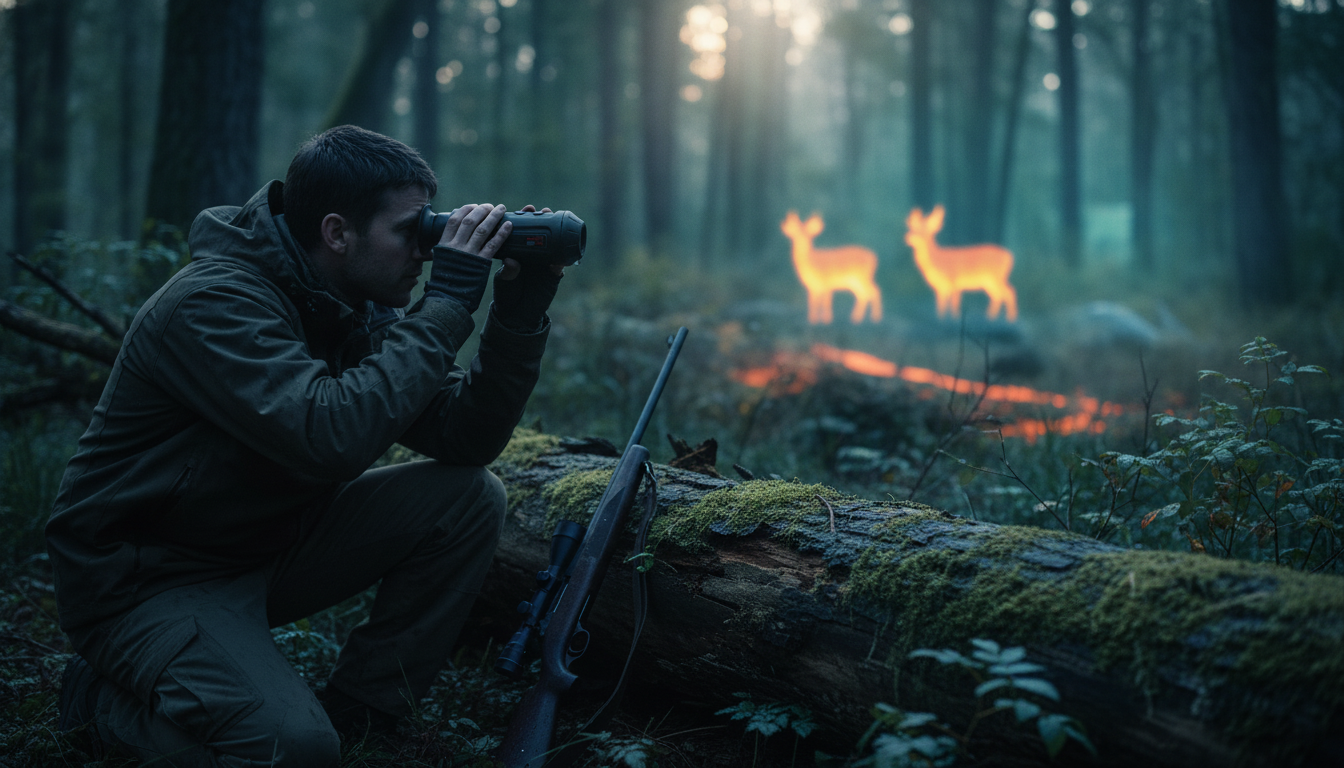
A thermal monocular turns heat differences into a clear image, making it useful for night observation, low-visibility navigation, wildlife spotting, and property checks. Instead of relying on visible light, it displays heat patterns—helpful when glare, shadows, brush, or total darkness make regular optics less dependable. This guide explains what 256×192 resolution means in real-world viewing, which features matter most, and how to get steadier, more readable results outdoors. For more guidance, see A Review of Modern Thermal Imaging Sensor Technology and ….
What a 256×192 thermal monocular helps with
A 256×192 thermal monocular is built for practical detection—finding heat sources quickly and confidently—rather than capturing fine, photo-like detail at long range. It’s a strong fit for common situations where speed, contrast, and coverage matter more than identifying tiny features. For further reading, see Custom Long Range PTZ MWIR LWIR Thermal FLIR Imaging ….
- Nighttime scanning when ambient light is limited or absent
- Locating warm-bodied wildlife or pets in brush and tall grass
- Checking buildings for obvious heat signatures (people, animals, running vehicles, warm equipment)
- Search-and-check situations where quick detection matters more than fine facial detail
- Situations where glare, shadows, and bright light can make regular optics less reliable
For a clear technical overview of how thermal imaging works (and why it excels in darkness), see FLIR’s explanation of thermal imaging.
Understanding thermal image resolution (and what it does not do)
Sensor resolution—here, 256×192—affects how much information the device has to work with. In practice, that influences how distinct shapes appear at distance and how quickly the picture becomes blocky when you use digital zoom. Higher-resolution sensors generally help separate a target from its background and preserve edge clarity when magnifying.
Just as important: thermal imaging shows heat patterns, not printed details or colors. A thermal monocular won’t read text, confirm paint color, or deliver fine facial features. Results also depend heavily on thermal contrast: a warm animal on a cool hillside stands out; that same animal on sun-warmed rocks can blend in.
Weather and environment can flatten contrast. Heavy rain, dense fog, and heat-soaked surfaces (late afternoon fields, sun-baked walls, warm pavement) can reduce separation between subject and background. Materials also behave differently depending on how they emit or reflect infrared energy—more detail is available in Teledyne FLIR’s emissivity notes.
Resolution at a glance: what to expect in the field
| Resolution | Typical strengths | Typical limitations |
|---|---|---|
| 256×192 | Good for wide-area scanning, quick detection, and general observation | Less fine detail at longer distances; digital zoom reveals pixelation sooner than higher-res units |
| Higher than 256×192 (reference) | Clearer edges and improved identification at distance | Usually higher cost and larger file sizes for recording (if supported) |
Key features to compare before buying
Resolution is only one part of the experience. Day-to-day usability often comes down to how quickly you can scan, stabilize the image, and adjust contrast when the environment isn’t cooperating.
- Field of view: wider helps scanning; narrower helps focusing on distant targets.
- Refresh rate and image stability: smoother motion helps track moving targets and reduces eye fatigue.
- Sensitivity and contrast controls: useful when backgrounds are warm, cluttered, or low-contrast.
- Color palettes: white hot/black hot and other palettes can make targets stand out depending on terrain.
- Digital zoom: helpful for a closer look, but clarity drops as magnification increases.
- Battery runtime and charging method: longer sessions favor efficient power use and convenient charging.
- Durability and weather resistance: important for rain, dust, and temperature swings.
- Recording and storage (if available): useful for documenting sightings, property checks, or training.
A quick practical check: if most of your time is spent searching large areas, prioritize field of view, refresh rate, and easy palette switching. If you’re often confirming what you found, pay closer attention to zoom behavior and contrast controls.
Getting sharper results: practical viewing tips
Thermal viewing rewards patience and small adjustments. The best image usually comes from a stable scan, a calm background, and minimal over-zooming.
Common use cases and what to prioritize
Product spotlight: Thermal Monocular High-Powered Imaging Device with 256×192 Resolution
If the goal is dependable heat-based detection without stepping into higher-cost, higher-resolution classes, the Thermal Monocular High-Powered Imaging Device with 256×192 Resolution is built around a practical 256×192 thermal sensor for general observation and scanning. It’s a strong match for nighttime checks, wildlife spotting, and routine property walks where identifying “something warm is there” is the priority.
Quick checklist for deciding if it fits
| Need | If this is true, it’s a good match |
|---|---|
| Wide-area detection | Primary goal is spotting heat sources quickly rather than detailed identification at long range |
| Occasional zoom-in | Zoom is for confirmation after detection, not for continuous long-range viewing |
| General-purpose thermal | One device for multiple activities (wildlife, property checks, night observation) |
More in-stock picks from our store
- Boost Your AI Prompts for Better Output – Checklist for Creators, Coaches & Entrepreneurs (Digital Download)
- Double-Layer Foldable Pet Stroller with Portable Carrier for Dogs and Cats
FAQ
Is 256×192 resolution enough for a thermal monocular?
Yes for detection and general observation, especially for scanning and spotting heat sources quickly. Fine identification at longer distances improves with higher resolution, but contrast, field of view, and conditions often matter just as much.
Can a thermal monocular see through walls or glass?
It generally cannot see through walls, and glass often reflects or blocks long-wave infrared, making window views unreliable. For best results, observe directly without shooting through a windshield or house window.
What conditions make thermal images look worse?
Heavy rain or dense fog, sun-warmed backgrounds, and low temperature contrast can make scenes look flatter and reduce target separation. Slower scanning, palette changes, and contrast adjustments usually help.














Leave a comment